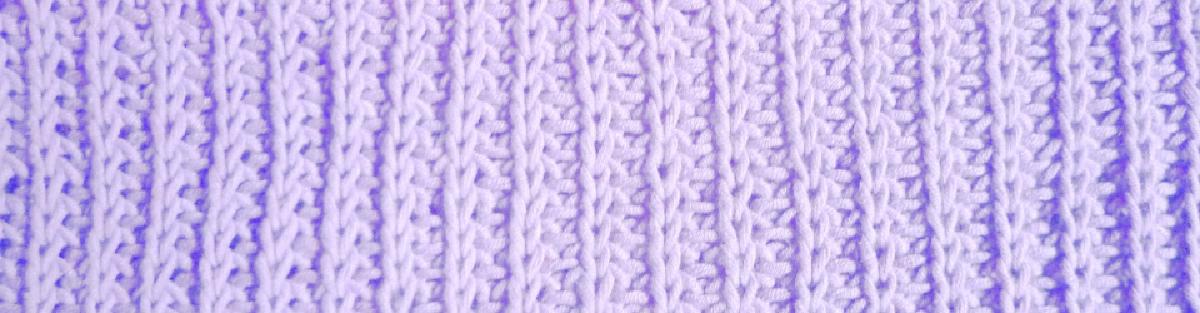

I created SwatchIt, an Android app that helps you manage your knitted swatches. The source code is openly available on Codeberg.
What is a swatch? #
Every knitter knits with a slightly different tension. Meaning that two knitters that use the same yarn, needles, pattern and knitting style (Contentional, English, etc.) won’t necessarily produce the same fabric. Some people knit tight, others knit loose and changing your knitting tension is not something you can change with sheer willpower. It is more like riding a bike, once you can do it, you are no longer aware of how you do it.
If you want your knitted object to be a specific size, you need to know your tension. Therefore you knit a small piece (usually 10 x 10 cm) of test fabric. This is called a swatch and the process is referred to as ‘swatching’.
The swatch should replicate your real project as much as possible. You use the same knitting needles, yarn, pattern and treatment (e.g washing and drying) as you intend to use later with the real project.
You then measure how many stitches (horizontal) and how many rows (vertical) you needed to knit to get to a reference width and height (usually 10 cm).
You usually take at least 3 measurements at different places and average over these measurements.
The result from this is called your gauge. You can then use cross-multiplication to calculate any widths, heights, stitches and rows you might need.
What is the problem? #
Nobody I have ever met likes knitting swatches (including myself, of course!). A lot of people never knit them. But as soon as you alter patterns or make your own designs you won’t get away with estimating your gauge. I know because I really tried for a long time!
Making a swatch is a long-ish process (and so boring!) and it has happened to me more than once that I had forgotten which needle size I used once I had calculated the gauge. I also always need to write the measurements down at the exact moment I take them, I will forget them otherwise. For every project I need to write down a lot of things and the potential of missing or forgetting something is high.
I also realized that instead of swatching for every project I could just always buy the same three yarns. I have swatched my favorite yarns once and reuse the gauge for every new project using these yarns. So for me it is important to keep a list of all my past swatches with all relevant information to be able to reuse them for the next project.
I have been using Ravelry for keeping track of my swatches in the past. But Ravelry is project based, you can only store gauges (not measurements) and you need to remember in which project you might have used the same yarn and needles and pattern to find the gauge you are interested in. There is also only room for one gauge per project, but I often need to knit more than one swatch per project.
Also Ravelry is closed source and my data is stored somewhere, probably in the US. I want this data to belong to me. And I don’t see a benefit in sharing it with others as it is so individual.
What is the intended use? #
SwatchIt supports my flow. First you can create a swatch, probably before you have started knitting it. You can add information about the yarn, the pattern, the knitting needles and the swatch.
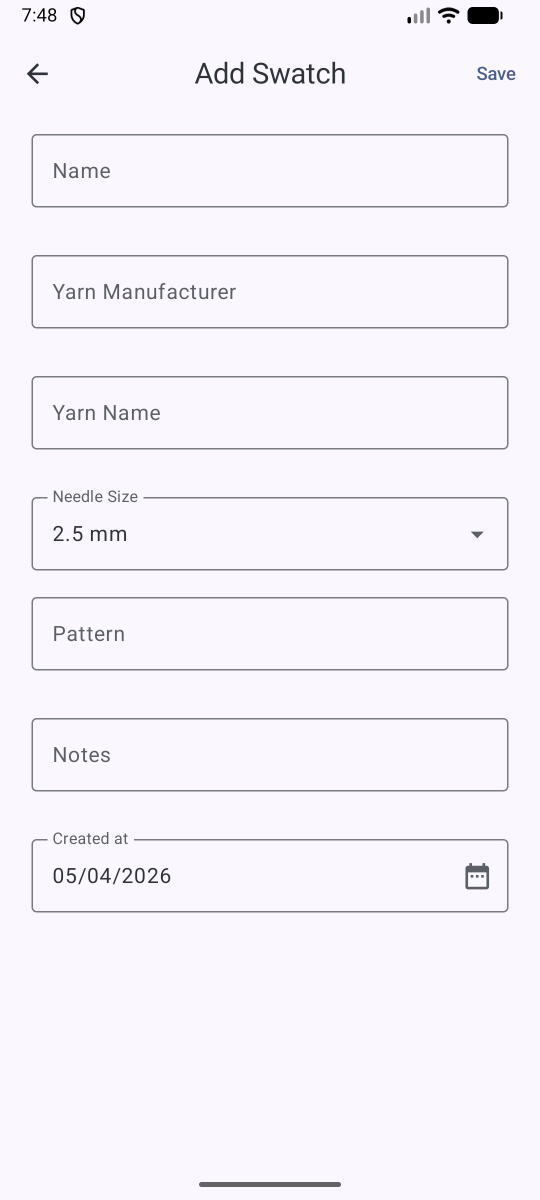
The swatch you just added is then shown in the main view with some of the information you entered:
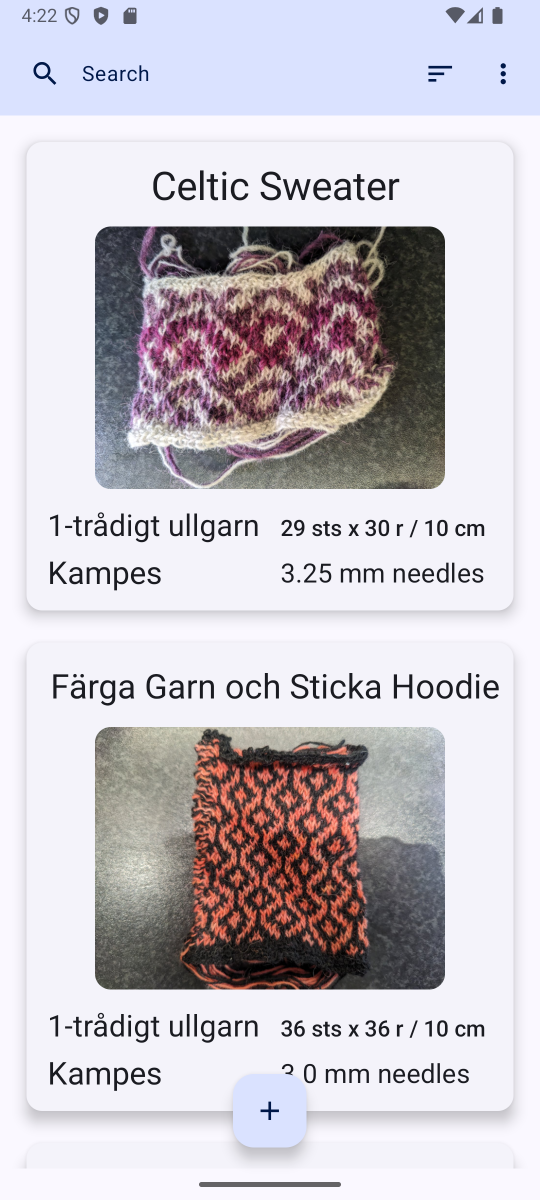
You can always add or change information about the swatch by tapping on it. This will bring you to an edit screen. You can even add a picture of your swatch:

When you are ready to record measurements you can do so by clicking on the ‘View measurements’ button in the edit screen. When you have added at least one stitch and one row measurement you can let SwatchIt calculate the gauge for you (click on the Calculate button). The gauge is calculated separately for horizontal and vertical measurements, averaged over all measurements to a reference of 10 cm and rounded up to the next full number. I decided to always round up because it is better to end up with a slightly too loose than a slightly too tight garment.
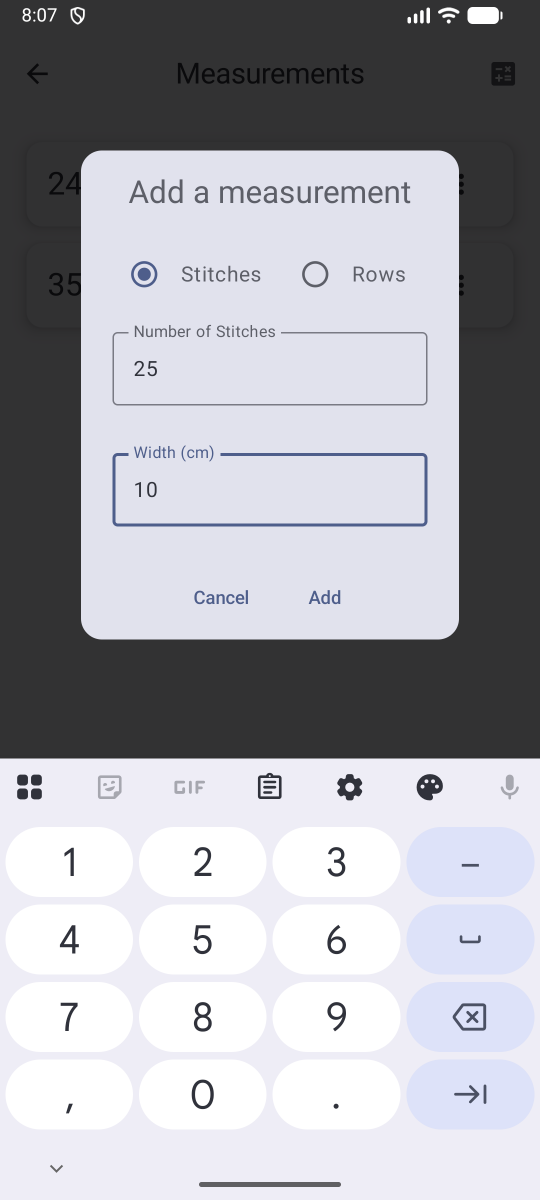
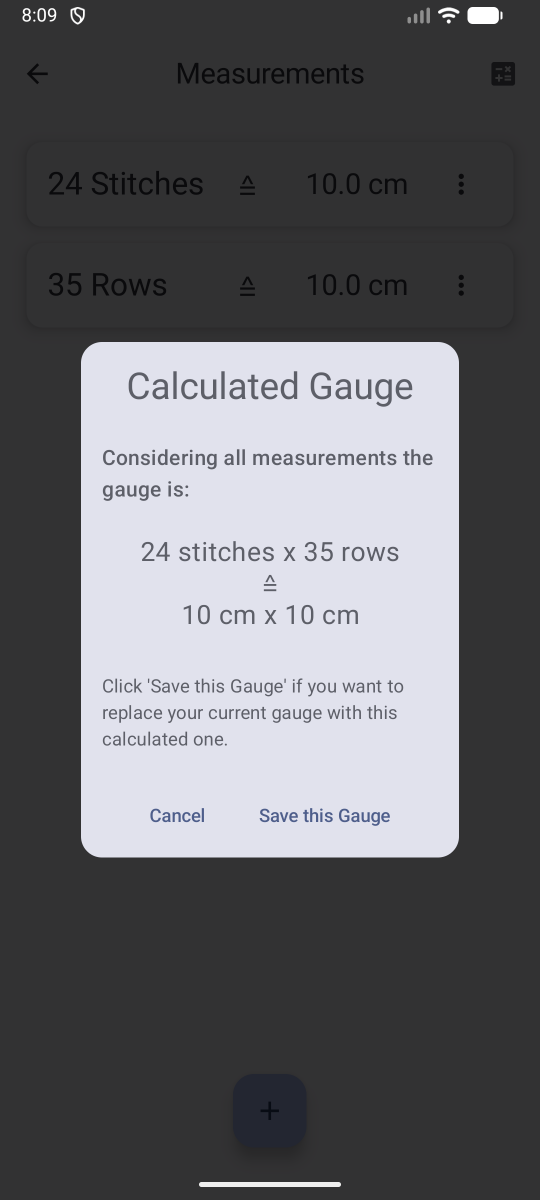
Once your swatch has a gauge, you can use it for calculations. Click on the calculations button and let SwatchIt calculate stitches from a width (and vice versa) or rows from a height (and vice versa).
All data is stored locally on your phone only. If you switch phones you can create a backup of your data and restore the backup on another phone. Click on the menu on the top right in the main view and choose ‘Backup’.
Where can I download SwatchIt? #
You can get SwatchIt from the F-Droid Android store. F-Droid only distributes open source Android apps, all apps are build from source. This makes it easier to detect and ban malicious apps or apps that track their users or have other unwanted properties.
Their documentation explains how to install F-Droid. And I have written a blogpost on what steps I took to publish the app to F-Droid.
You can also download the apk directly from Codeberg and install it. You will have to keep track of new versions by yourself though.
I don’t support proprietary app stores like the Play Store or the Apple Store. I won’t go through Google’s Developer Verification. In case Google will make their threat a reality then SwatchIt will no longer run on Google Certified Devices (e.g. no custom roms like Lineage or Graphene OS). Google should not be allowed to control what you install on your phone. Please help keep Android open.
How can I submit feedback? #
I very much welcome feedback. Reach out via a channel of your choice or create an issue on Codeberg.